Contents (15 sections)
In today's fast-paced world, enhancing your mobile experience with smart accessories is no longer just a luxury, it's a necessity. Accessories can transform your smartphone into a versatile tool, optimising everything from productivity to entertainment. This guide will explore how to select and use smart accessories to significantly upgrade your mobile experience.
Step 1: Assess Your Needs
Before diving into the world of accessories, it's essential to assess your specific needs. Do you often use your mobile for work, gaming, photography, or streaming? Understanding your primary usage patterns will help you select the accessories that are most beneficial. For instance, if you rely heavily on your device for professional video calls, investing in a high-quality microphone and camera lens could be more beneficial than, say, a powerful gaming controller.
Consideration Points:
- Work vs. Play: Determine if your main usage is work-related or recreational. This will guide your accessory selection.
- Battery Life: If you frequently find yourself running low on battery, a portable charger or power bank should be a priority.
- Functionality Expansion: Think about whether you need to expand your device's capabilities, such as additional storage or a better sound system.
This foundational step sets the tone for your upgrade journey.
Step 2: Choose the Right Accessories
Once you’ve determined your needs, it’s time to select accessories. Here are some categories to consider:
- Audio Accessories: Headphones or portable speakers can enhance music and media playback. For example, noise-cancelling headphones are ideal for those who frequently travel.
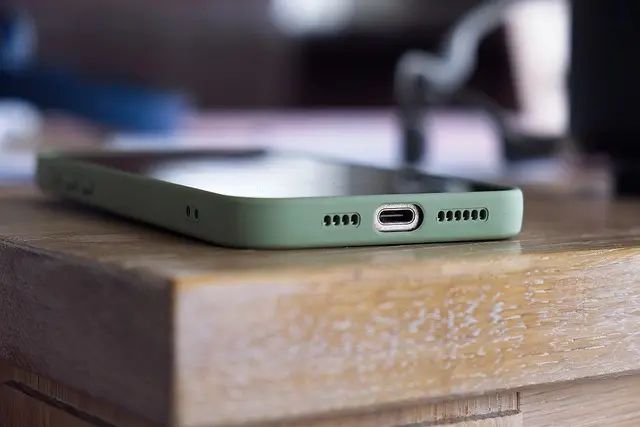
- Protective Gear: A sturdy yet stylish phone case protects your device while also enhancing its look.
- Camera Enhancements: If photography is a significant part of your mobile use, consider lenses, gimbals, or tripods to improve image quality.
Tips for Selection:
- Research user reviews and ratings to ensure quality.
- Note the compatibility of accessories with your device model.
- Look for multi-functional products to maximise value.


Samsung Galaxy A17 17 cm (6.7") Dual SIM 4G USB Type-C 4 GB 128 GB 5000 mAh Grey
Back to the Office
Step 3: Maximise Your Mobile’s Potential
After acquiring the right accessories, it’s essential to learn how to utilise them to their fullest potential. This often involves exploring settings and features specific to your phone or app.
Practical Examples:
- Audio Accessories: With noise-cancelling headphones, ensure that you set them up correctly to benefit from their full sound quality and cancelling ability. Adjusting equaliser settings in your music application can also enhance your listening experience.
- Camera Accessories: When using a tripod, experiment with different angles and lighting to get the best shots. Take advantage of camera modes like night photography for impressive results.
Step 4: Regular Maintenance
Maintaining your accessories is equally important. Regular cleaning and proper storage can extend their life. For instance, regularly cleaning headphone cushions and ensuring that phone cases are dry and clean enhances durability and performance.
Maintenance Tips:
- Always store accessories in a cool, dry place.
- Clean USB ports and connectors from dust and debris periodically.
- Replace batteries and rechargeables as needed to avoid malfunction.
Step 5: Stay Updated on Trends
The market for smart accessories is constantly evolving. Staying updated with the latest trends and advancements is crucial. For instance, emerging technologies like wireless charging and IoT (Internet of Things) integrations can significantly enhance mobile functionality.
How to Stay Informed:
- Subscribe to tech newsletters or follow influencers on social media platforms.
- Join community forums or groups focused on mobile technology.
- Attend tech expos or exhibitions to see new products firsthand.
Conclusion
Upgrading your mobile experience with smart accessories is about making informed choices that truly suit your lifestyle. By assessing your needs and understanding the functions of various accessories, you can elevate your usage significantly. Stay engaged with the tech world to continually discover new ways to enhance your mobile experience.

Samsung Galaxy S26 16 cm (6.3") Dual SIM Android 16.0 5G USB Type-C 12 GB 256 GB 4300 mAh Blue
Back to the Office

Samsung Galaxy S26 16 cm (6.3") Dual SIM Android 16.0 5G USB Type-C 12 GB 512 GB 4300 mAh Blue
Back to the Office

Samsung Galaxy S26 16 cm (6.3") Dual SIM Android 16.0 5G USB Type-C 12 GB 256 GB 4300 mAh Black
Back to the Office
Checklist before Purchase
- [ ] Assess specific needs based on usage
- [ ] Research and compare different accessories
- [ ] Ensure compatibility with your mobile device
- [ ] Review user feedback and ratings
- [ ] Understand the maintenance needs of accessories
Glossary
| Terme | Définition |
|---|---|
| Smart Accessories | Devices designed to enhance the functionality and usability of smartphones. |
| Noise-Cancelling | Technology that reduces unwanted ambient sounds. |
| IoT (Internet of Things) | Network of physical devices connected to the internet, enabling data exchange and communication. |
---
📺 Pour aller plus loin : how to upgrade mobile experience with accessories sur YouTube
Recommended products
Selected by our experts

Samsung Galaxy S26 16 cm (6.3") Dual SIM Android 16.0 5G USB Type-C 12 GB 256 GB 4300 mAh Violet
Back to the Office

Samsung Galaxy S26 16 cm (6.3") Dual SIM Android 16.0 5G USB Type-C 12 GB 512 GB 4300 mAh Black
Back to the Office

Samsung Galaxy S26+ 17 cm (6.7") Dual SIM Android 16.0 5G USB Type-C 12 GB 256 GB 4900 mAh Blue
Back to the Office

Samsung Galaxy S26+ 17 cm (6.7") Dual SIM Android 16.0 5G USB Type-C 12 GB 256 GB 4900 mAh White
Back to the Office

Samsung Galaxy S26 16 cm (6.3") Dual SIM Android 16.0 5G USB Type-C 12 GB 512 GB 4300 mAh White
Back to the Office

Samsung Galaxy S26+ 17 cm (6.7") Dual SIM Android 16.0 5G USB Type-C 12 GB 512 GB 4900 mAh White
Back to the Office

