Contents (11 sections)
Maintaining your smartphone is crucial not only to prolong its lifespan but also to ensure optimal performance. In this tutorial, we will explore detailed steps to effectively manage smartphone maintenance.
1. Keep Your Software Updated
Keeping your smartphone’s software up to date is one of the simplest yet most effective ways to maintain it. Regular updates from operating system developers, such as Apple and Google, often include important security patches, performance enhancements, and new features. According to UFC-Que Choisir, phones running outdated software are more susceptible to malware and performance issues. To check for updates, simply navigate to your settings, select the software update option, and follow the prompts.
Additionally, it's essential to update your apps regularly. App updates not only improve functionality but also fix bugs that could affect your smartphone's performance. Enable automatic updates, if possible, to save you time and ensure you do not miss critical updates.
💡 Avis d'expert: Personnaliser vos notifications d'applications peut également aider à garder votre smartphone réactif sans encombrer votre mémoire avec des applications non utilisées.
2. Manage Storage Space Efficiently
A cluttered storage space can significantly slow down your smartphone. Therefore, it is important to manage your storage effectively. Begin by reviewing the apps on your device; uninstall those you rarely use. Most smartphones provide a built-in storage manager, enabling you to see which apps consume the most space.
Moreover, consider using cloud storage solutions, such as Google Drive or iCloud, to store photos and files. Not only will this help free up space, but it also ensures that your data is backed up securely.
Periodically clearing cache data can also improve performance. Navigate to your settings, then apps, and clear cache for apps that tend to accumulate large amounts of data.
3. Maintain Physical Cleanliness
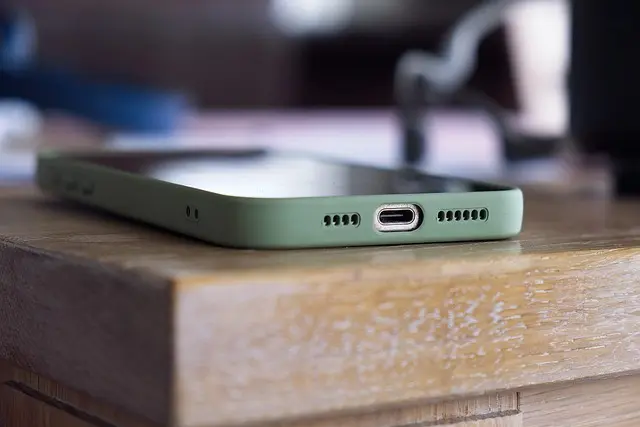
Physical damage is one of the leading causes of smartphone issues. To avoid this, regularly clean your smartphone. Use a soft, lint-free cloth to clean the screen and a microfiber cloth to clean the back of the device. For the ports, consider using a toothpick or a compressed air canister to remove lint and debris that may accumulate.
Consider investing in a protective case and a screen protector. Cases come in various styles and materials, offering different levels of protection. A good quality case can significantly reduce the risk of damage from drops and spills, extending the life of your device significantly.
4. Manage Battery Health
Battery health is vital for smartphone longevity. Over time, lithium-ion batteries lose their capacity to hold charge. To enhance the life of your battery, avoid complete discharges and charges to 100% regularly. Aim to maintain your battery charge between 20% and 80%. Studies indicate that keeping a battery in this range can extend its overall lifespan.
Additionally, avoid using your smartphone in extreme temperatures. High heat can cause irreparable damage to your battery. Lastly, using the original charger and cables recommended by the manufacturer can prevent battery damage caused by incompatible accessories.
5. Monitor App Permissions and Usage
Not all apps are designed to run efficiently. Some can drain battery life, use excessive data, or even compromise security. Regularly check the permissions and usage stats for your apps. Disable location services for apps that don’t require them, and close apps running in the background when not in use. This helps conserve battery life and keeps your smartphone running smoothly.
Review app usage patterns and consider alternatives if certain applications are consistently problematic. Keeping your app ecosystem lean and efficient will not only improve performance but enhance security as well.
Table: Maintenance Comparison Chart
| Criterion | Action | Frequency | Effectiveness |
|---|---|---|---|
| Software Updates | Enable automatic updates | Monthly | High |
| Storage Management | Delete unused apps | Bi-weekly | Moderate |
| Cleaning Devices | Clean with cloths | Weekly | High |
| Battery Management | Charge between 20-80% | Daily | High |
| Monitor App Usage | Check permissions | Monthly | Moderate |
smartphone maintenance tips 2026.
Checklist Before Starting Your Maintenance
- [ ] Check for software updates.
- [ ] Uninstall unused applications.
- [ ] Clean the screen and ports.
- [ ] Monitor battery health and charging habits.
- [ ] Review app permissions.
Glossary
| Term | Definition |
|---|---|
| Lithium-Ion Battery | A type of rechargeable battery commonly used in smartphones. |
| Cache Data | Temporary files stored by apps to speed up performance. |
| Cloud Storage | Online storage to hold data remotely, accessible via the internet. |
---
📺 Pour aller plus loin : smartphone maintenance tips 2026 sur YouTube