Contents (10 sections)
In our increasingly mobile world, the importance of mobile device maintenance cannot be overstated. Devices such as smartphones and tablets have become essential tools in our daily lives, enabling us to stay connected, access information, and manage tasks on the go. With usage becoming ubiquitous, understanding how to care for these devices is crucial for extending their lifespan and ensuring optimal performance. Proper maintenance can prevent hardware failures, reduce the need for repairs, and ultimately save you money.
1. Keep Your Device Updated
Keeping your mobile device updated is a critical step towards ensuring its longevity. Software updates often include security patches, performance enhancements, and new features that keep your device running smoothly. Failure to update your software can lead to vulnerabilities, exposing your device to security threats. In fact, according to UFC-Que Choisir, unpatched devices are significantly more susceptible to malware attacks, which can compromise sensitive data.
To manage updates effectively:
- Enable Automatic Updates: This ensures that your device downloads and installs updates automatically, allowing you to benefit from the latest improvements without manual intervention.
- Check for Updates Regularly: If automatic updates are not possible, establish a routine to check for updates at least once a month, ensuring nothing is overlooked.
- Backup Your Data: Before executing any updates, always back up your important data to avoid potential loss in case of update failures. Regular backups can prevent data loss from unforeseen circumstances, including hardware malfunction.
2. Clean Your Device Regularly
A clean mobile device not only looks good but also functions better. Dust, dirt, and grime can accumulate in charging ports and around buttons, hindering their performance. Regular cleaning can prevent overheating, which can shorten your device’s lifespan significantly.
Here are practical steps to follow for effective cleaning:
- Use a Microfiber Cloth: Soft cloths can effectively remove smudges from screens without scratching them. Avoid paper towels or rough fabrics, which can cause damage.
- Clean Your Ports with Caution: Use a dry cotton swab to gently remove debris from charging ports and headphone jacks. Never insert foreign objects that could cause damage.
- Avoid Water Exposure: Do not use liquids directly on the device. Instead, lightly moisten the cloth to avoid liquid damage. Excess moisture can seep into openings and cause internal issues, as evidenced by various studies on device durability.
3. Protect Your Device from Physical Damage
Physical damage is one of the leading causes of mobile device malfunction. Drops, impacts, and pressure can lead to cracked screens or internal issues that render a device unusable. To mitigate these risks, consider the following:
- Use a Quality Case: Invest in a sturdy case that can withstand drops and impacts. Research shows that devices with protective cases suffer less damage than those without.
- Screen Protectors: Applying a tempered glass screen protector can provide an extra layer of defence against scratches and cracks.
- Be Mindful of Where You Place Your Device: Avoid placing your device on the edge of tables or other surfaces and ensure it is stored safely when not in use. Simple precautions can dramatically reduce the likelihood of accidents.
4. Manage Battery Health
Battery life is crucial for the usability of your mobile device. Poor battery health can lead to quicker depletion and reduced performance over time. Implementing good charging habits can significantly improve your battery’s lifespan:
- Avoid Overnight Charging: Continuous charging can strain the battery's capacity. Instead, try to unplug your device when it reaches full charge.
- Use Original Chargers: Always use the charger that came with your device or a certified replacement. Poor quality chargers can damage the battery and reduce its lifespan.
- Calibrate Your Battery: To maintain battery health, periodically allow your device to fully discharge before charging it back to 100%. This practice helps recalibrate the battery reading, allowing for more accurate power monitoring.
5. Secure Your Device from Software Threats
The risks of malware and viruses are ever-present, particularly as our devices connect to various networks. Implementing security measures can enhance your device's protection:
- Install Reliable Security Software: Ensure that you have reputable security applications installed. These can protect against malware and viruses.
- Avoid Public Wi-Fi for Sensitive Transactions: When using public networks, limit sensitive activities such as online banking to prevent data theft. Use a VPN if access is necessary.
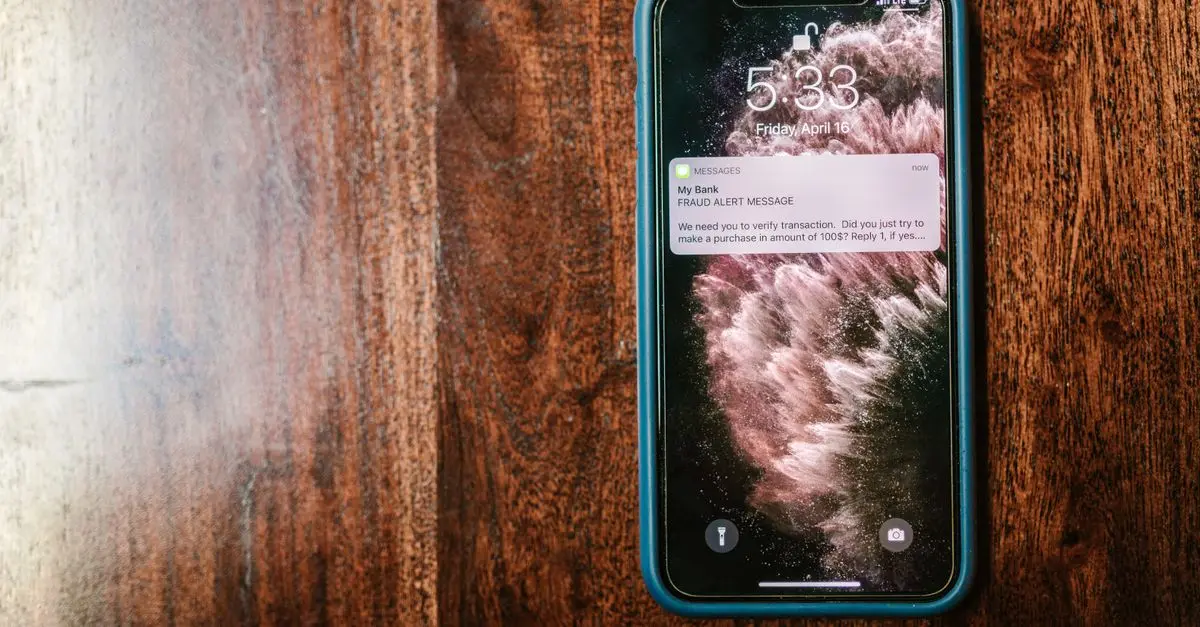
- Educate Yourself About Phishing Attacks: Recognise common phishing tactics that aim to compromise your security. Be cautious of unsolicited messages and emails, especially those that request personal information.
Checklist before Maintenance
- [ ] Update your device software to the latest version
- [ ] Clean your device screen and ports
- [ ] Apply a protective case and screen cover
- [ ] Check battery health and charging habits
- [ ] Install and update security software
- How often should I update my device?
It’s recommended to check for updates monthly or enable automatic updates for convenience.
- Can I clean my device with water?
No, avoid using water directly. Use a slightly dampened microfiber cloth instead.
- Is it safe to use a non-original charger?
It’s best to use the original charger or a certified equivalent to prevent potential damage.
📺 Resource Video
> For further insights, watch: How to Care for Your Mobile Devices Effectively, a comprehensive guide available on YouTube. Search for: how to maintain your mobile device 2026.
Glossary
| Terme | Définition |
|---|---|
| Calibration | Process of adjusting the accuracy of a device's measurement system. |
| Malware | Software designed to disrupt or damage a computer system or user data. |
| Phishing | A method of attempting to acquire sensitive information by masquerading as a trustworthy entity in electronic communications. |
---
📺 Pour aller plus loin : how to maintain your mobile device 2026 sur YouTube
Recommended products
Selected by our experts

Samsung Galaxy A34 5G Enterprise Edition 16.8 cm (6.6") Dual SIM USB Type-C 6 GB 128 GB 5000 mAh Graphite
Back to the Office
The Samsung Galaxy A34 is ideal for users needing a reliable device that supports long-term use with its robust features.

Samsung Galaxy A16 5G 17 cm (6.7") Dual SIM Android 14 USB Type-C 4 GB 128 GB 5000 mAh Green
Back to the Office
The Samsung Galaxy A16 offers excellent value for performance, making it a dependable choice for everyday mobile tasks.


