Contents (21 sections)
In today's fast-paced world, the integration of smart home devices has revolutionised how we interact with our living spaces. As we lead increasingly mobile lifestyles, harnessing these technologies can save time, enhance efficiency, and improve our overall quality of life. But how do we ensure that we can seamlessly incorporate this technology into our daily routines? In this guide, we will explore practical steps for integrating smart home products into your life while maintaining simplicity and effectiveness.
1. Understanding Smart Home Devices
What are Smart Home Devices?
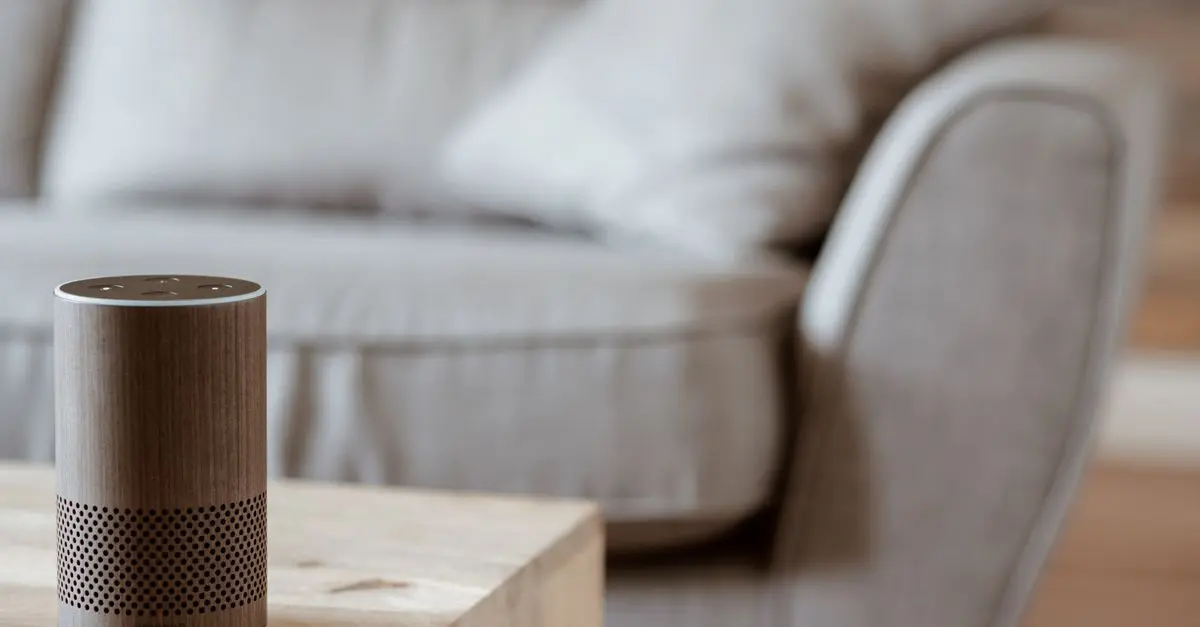
Smart home devices are electronic devices that connect to the internet and can be controlled remotely via smartphones, tablets, or computers. These products range from smart lights and thermostats to security cameras and home automation systems. The convenience of remotely controlling household functions not only contributes to energy efficiency but also offers enhanced security and peace of mind.
Why Use Smart Home Technology?
According to a survey conducted in 2025, 38% of UK households reported that their smart devices helped streamline daily tasks, reducing time spent on routine activities by up to 20%. With smart home devices, individuals can create schedules, automate routines, and even monitor home security when away, ensuring that their premises remain safe and sound.
2. Setting Up Your Smart Home Devices
Step 1: Identify Your Needs
Before diving into the world of smart devices, it’s crucial to identify which aspects of your home life could benefit most from automation. For instance, consider whether you want to improve energy efficiency, enhance security, or simply add convenience to your daily chores. Make a list of priorities that would impact your mobile lifestyle positively.
Step 2: Choose Compatible Devices
With a myriad of smart devices available, selection is key. Ensure that the devices you choose are compatible with one another and can be easily controlled through a central application. Popular options include smart lighting solutions, thermostat systems, and security cameras, allowing you to create a holistic smart home experience. Always double-check the compatibility of new devices with your existing setups.
Step 3: Proper Installation
Once you've selected your devices, follow the manufacturer’s installation guidelines closely. Many products offer user-friendly installation procedures, but some might require a professional touch, particularly complex systems like home automation hubs. Take the time to ensure devices are correctly set up to avoid initial connectivity issues.
Step 4: Configuration and Personalisation
After successfully installing the devices, spend time personalising their settings. Most smart home devices allow for customisation, so adjust settings to suit your lifestyle and preferences. For instance, programme your thermostat to adjust temperatures according to your daily schedule or set your smart lights to create relaxing atmospheres based on your evening habits.


3. Maximising the Benefits of Smart Home Integration
Automation and Scheduling
Creating automated routines is where smart home devices truly shine. Schedule specific tasks, such as turning on lights or adjusting room temperatures at designated times. Research has shown that users enjoy a 30% increase in home energy efficiency by implementing automated schedules.
Remote Control Features
Most smart home devices come equipped with apps that allow for remote control via smartphones. This means you can adjust settings no matter where you are, giving you peace of mind and convenience continually. Whether unlocking the front door for a visitor while out or adjusting the thermostat to prepare for your return, these features significantly enhance the mobile lifestyle.
Continuous Learning
Smart home devices often learn from user habits through AI-driven technologies. The more you engage with these devices, the better they adapt to your patterns, making daily activities even more streamlined over time. Stay engaged in your devices’ learning processes to maximise their potential.
4. Comparing Smart Home Ecosystems
When deciding which devices to integrate, consider their ecosystems. Here’s a comparison:
| Feature | Amazon Alexa | Google Home | Apple HomeKit |
|---|---|---|---|
| Device Compatibility | Extensive support | Wide range | Limited to Apple devices |
| Voice Control | Yes | Yes | Yes |
| Security Features | Basic options | Advanced features | High-end security |
| User Friendliness | Moderate | Very user-friendly | User-friendly but limited |
5. Common Pitfalls to Avoid
Ignoring Security Features
As convenient as smart home devices are, they can also be vulnerable to cyber threats. Ensure that security features are activated on all devices and keep devices updated regularly to mitigate risks.
Overcomplicating Your Setup
One common mistake is integrating too many devices too quickly, leading to confusion and frustration. Start small, adding essential devices to your setup, and expand as you become more comfortable.
Checklist for Smart Home Integration
- [ ] Assess your needs and priorities for smart devices.
- [ ] Research and choose compatible devices.
- [ ] Follow installation instructions carefully.
- [ ] Personalise device settings accordingly.
- [ ] Create schedules and automation for efficiency.
- [ ] Regularly update devices to maintain security.

Lenovo V14 G4 ABP AMD Ryzen 5 7430U Laptop 14" 8GB RAM 512 GB SSD Windows 11 Home Laptop
box.co.uk


Smart app wifi Infrared ir remote control air conditioner home devices universal remote controller
Alibaba UK
🧠 Quiz rapide :
Which of the following is NOT a benefit of smart home devices?
- A) Easier control of household appliances
- B) Higher energy bills
- C) Enhanced home security
Réponse : B — Smart home devices can help reduce energy consumption instead of increasing it.
Glossaire
| Terme | Définition |
|---|---|
| Smart Home Device | An electronic device connected to the internet that can be controlled remotely. |
| Home Automation | The automatic control of devices in a home via smartphones or tablets. |
| Ecosystem | A set of devices or services that work together to enhance functionality. |
📺 Ressource Vidéo
Discover the Best Smart Home Devices for 2026, an analysis of the latest technologies and how to choose devices that fit your lifestyle. Search on YouTube: "best smart home devices 2026".
Integrating smart home devices into your daily routines not only simplifies tasks but also enhances overall living quality. Embracing these technologies allows for a truly mobile lifestyle. Are you ready to transform your home?
Call to Action: Explore our curated selection of smart home devices below to kickstart your journey towards a smarter, more efficient home!
📺 Pour aller plus loin : best smart home devices 2026 sur YouTube
Recommended products
Selected by our experts


StarTech.com USB4 to Ethernet Adapter, 10GbE, Multi-Gigabit, Thunderbolt Compatible, 10GBASE-T/5G/2.5G NIC, 10G Ethernet Adapter, 0.5m USB4 Cable,
Back to the Office



