Contents (10 sections)
In today's fast-paced world, the concept of a mobile workspace has become increasingly relevant. Mobile workforces thrive on flexibility, allowing individuals to be productive from anywhere. To establish a successful mobile workspace, it's essential to consider various factors, including tools, environment, and productivity methodologies. This guide will provide detailed steps to create a seamless mobile workspace tailored to your needs.
1. Assess Your Needs and Goals
Before diving into the technical setup, it's crucial to evaluate your specific needs and objectives. Consider the nature of your work and the locations you will primarily be working from. For example, do you require access to high-speed internet, a comfortable work surface, and proper ergonomic tools? Conduct a survey of your environment to identify potential distractions and areas that may enhance productivity.
According to recent data, nearly 80% of workers claim that a well-equipped mobile workspace significantly boosts their productivity levels. By understanding your requirements, you can prioritise what tools and equipment are necessary for your mobile workspace. For instance, if you often find yourself working at coffee shops, ensure your equipment is portable and easy to set up. Take the time to outline your needs — this will streamline your subsequent decisions about equipment and technology.
2. Choose the Right Technology
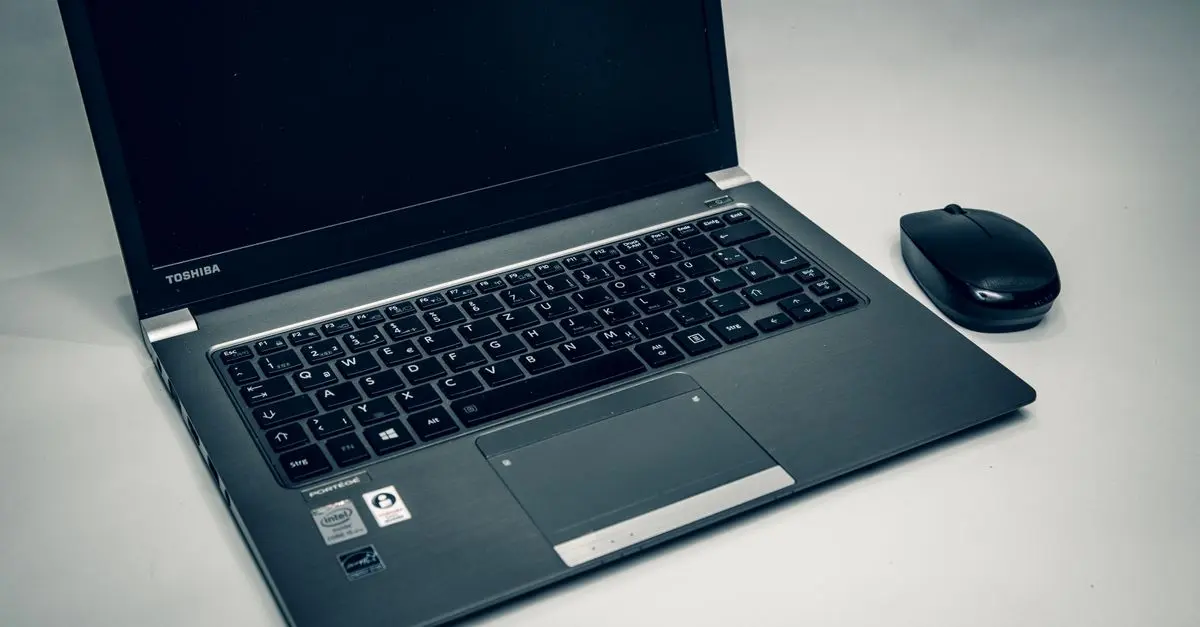
Selecting the appropriate technology is vital for an efficient mobile workspace. Start by investing in a reliable lightweight laptop or tablet that fits your work specifications. Ensure it runs smoothly with essential software applications, cloud storage solutions, and security measures.
Furthermore, consider connectivity options such as portable Wi-Fi devices or reliable mobile data plans, especially if you're frequently on the go. A good laptop should have a battery life of at least 8 hours to ensure uninterrupted work hours. Additionally, invest in accessories that complement your setup, such as quality noise-cancelling headphones for increased focus in busy environments.
Recommended Product Contexts
- A portable laptop stand can enhance ergonomics significantly, reducing neck strain during prolonged work sessions.
- A reliable power bank can be indispensable during travel, ensuring you can work without worrying about battery life.

StarTech.com Mobile Standing Desk - Portable Sit Stand Ergonomic Height Adjustable Cart on Wheels
Back to the Office


3. Create an Ergonomic Setup
Your physical setup can make the difference between a productive day and discomfort. Ensure your workspace is ergonomic, even if it varies from location to location. If you can, utilise portable standing desks or even lap desks that allow for comfort when seating is not ideal.
Consider investing in ergonomic accessories such as supportive cushions and wrist rests, which can greatly enhance your posture.
Statistically, 54% of remote workers report increased comfort and focus when working at a well-designed workstation. By prioritising your physical health, you not only improve productivity but also mitigate potential long-term health issues.
4. Implement Efficient Organisation Tools
Effective organisation is critical for maintaining productivity in a mobile workspace. Use digital tools that facilitate task management and communication. Tools like cloud storage, project management applications, and collaborative platforms can help you stay organised and keep your projects on track, regardless of your location.
For instance, popular tools such as Trello or Asana can streamline project workflows, while Slack or Microsoft Teams can ensure seamless communication with your team. According to a study, 70% of professionals feel more organised when using digital management tools. Break down your task lists and set deadlines to ensure you can maintain focus and meet your goals effectively.
5. Regularly Evaluate and Adapt Your Workspace
Creating a mobile workspace is not a one-time task; it requires continuous evaluation. Regularly assess the effectiveness of your workspace. Are the tools and technologies still serving your needs? Make adaptations periodically to optimise your setup based on new experiences, feedback, and changes in your workflow.
Engage in self-reflection to identify what works best for you and what might be hindering your productivity. Remain open to new tools and methodologies; technology evolves rapidly, and staying current can provide you with innovative solutions that enhance your mobile workspace.
Checklist before setting up your mobile workspace
- [ ] Assess your needs and goals.
- [ ] Choose appropriate technology and accessories.
- [ ] Create an ergonomic workspace setup.
- [ ] Implement effective organisation tools.
- [ ] Regularly evaluate your workspace effectiveness.
Q: What is a mobile workspace?
A: A mobile workspace is a flexible setup that enables individuals to work efficiently from various locations, typically equipped with the necessary technology and tools.
Q: What technology do I need for a mobile workspace?
A: You need a reliable laptop or tablet, portable internet solutions, and accessories that enhance your ergonomic comfort and productivity.
Q: How can I ensure comfort while working on the go?
A: Invest in ergonomic tools such as portable desks, supportive cushions, and maintain proper posture to enhance comfort while working.
Q: How often should I evaluate my mobile workspace?
A: Regular evaluation (every few months) can help identify needed adaptations based on your evolving work needs.
Glossary
| Terme | Définition |
|---|---|
| Mobile Workspace | Configuration permettant de travailler de n'importe où avec l'équipement et les outils appropriés. |
| Ergonomique | Conçu pour maximiser le confort et l'efficacité dans le travail. |
| Productivité | Mesure de l'efficacité dans le travail, souvent liée aux outils et à l'environnement de travail. |
> 📺 Pour aller plus loin: Exploring Mobile Workspaces: The Future of Work, une analyse complète de la manière de maximiser votre productivité en déplacement. Recherchez sur YouTube : "mobile workspace efficiency 2026".
📺 Pour aller plus loin : mobile workspace efficiency 2026 sur YouTube
Recommended products
Selected by our experts
StarTech.com Mobile Standing Desk - Portable Sit Stand Ergonomic Height Adjustable Cart on Wheels
Back to the Office
A portable standing desk can enhance ergonomics significantly, reducing neck strain during prolonged work sessions.
StarTech.com USB-C to Micro-B Cable - M/M - 0.5 m - USB 2.0
Back to the Office
A reliable charging cable simplifies mobile device connectivity, ensuring your gadgets stay powered during work.
StarTech.com 10-Port USB 3.0 Hub with Charge and Sync Ports
Back to the Office
A power bank is crucial for keeping your devices charged when working in transit or in places without power access.


