Contents (15 sections)
Understanding Mobile Apps
Mobile applications, or apps, are software designed to run on mobile devices like smartphones and tablets. They range from games to tools that help streamline tasks in everyday life. Mobile apps have become indispensable, evolving over the years to provide solutions for various daily needs. In 2026, the market is saturated with options, making it crucial to choose wisely. For instance, according to Statista, over 200 billion apps were downloaded globally in 2025, highlighting the significance of selecting the right apps to fit personal lifestyles and help keep users organised and engaged.
Assessing Your Needs
When considering the best mobile apps for your daily life, it’s vital to assess your unique needs. Start by identifying which areas need improvement, such as productivity, fitness, socialisation or finance. Conduct a survey of apps in those categories, taking note of the functionalities that resonate with your lifestyle. For example, if you struggle with time management, prioritise task management apps that offer reminders and deadline tracking features. Adequate assessment enables users to filter through thousands of options, ultimately leading to a more tailored experience tailored to individual preferences.
Enhanced Productivity Apps
- Todoist
Todoist is a remarkable task management app that helps users organise their schedules efficiently. Its intuitive design allows users to create tasks, set deadlines, and prioritise their workload. Features like project categorisation and collaboration make it ideal for individuals and teams alike. Users often report increased efficiency and satisfaction due to its seamless integration with various platforms and tools.
- Notion
As an all-in-one workspace, Notion is perfect for managing projects, notes, and databases. Its flexibility allows users to build customised dashboards according to their specific needs. Users can embed notes, link tasks and even collaborate in real-time. Established in 2026 as a leading productivity app, Notion continues to receive acclaim for its versatility.
- Google Calendar
A well-known scheduling app that integrates with email and reminders. With features that include event creation, sharing capabilities, and daily/weekly views, Google Calendar simplifies planning events. Additionally, syncing across devices ensures users stay on track anywhere.
Health and Fitness Applications
- MyFitnessPal
For those seeking to manage their nutrition and fitness goals, MyFitnessPal offers a comprehensive solution. By logging meals and physical activities, users can monitor their progress effectively. The app also connects to wearables, providing a holistic view of overall health.
- Headspace
For mental well-being, Headspace presents users with guided meditation and mindfulness exercises. With its user-friendly approach, it caters to beginners and experienced practitioners alike. The various meditation programmes aim to reduce stress and improve overall mental health, reflecting a growing trend towards mindfulness in daily living.
Social Media and Communication
- Slack
Slack revolutionises workplace communication by allowing teams to collaborate in real-time. Users can create channels for various projects, share files, and send direct messages. Its organisational features enhance team productivity while fostering a sense of community among remote workers.
Beyond sharing photos, Instagram offers features that enable businesses and influencers to connect with audiences effectively. Features like Stories, Reels, and IGTV provide diverse content formats that enhance engagement. The app remains a staple in many users' lives as they share their experiences and connect with others.
Finance Management Tools
- Mint
A personal finance app that helps users manage their expenses and budget efficiently. By linking bank accounts, users receive insights into their spending habits, allowing for proactive financial management. Mint's budgeting tools simplify financial planning, making it easier for users to achieve their financial goals.
- Revolut
A digital banking app that allows users to manage their finances globally. Features include currency exchange at interbank rates, instant spending notifications and various savings tools. It’s particularly useful for individuals regularly travelling or conducting international transactions.
Travel and Navigation Apps
- Google Maps
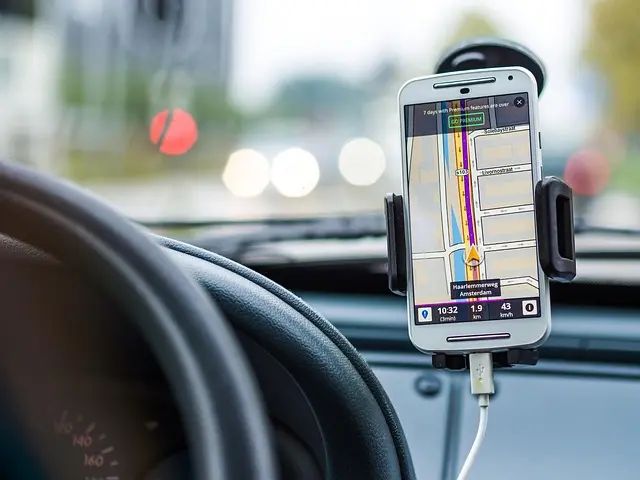
Essential for any traveller, Google Maps not only provides navigation but also offers insights into local attractions and reviews. Its real-time traffic updates and ability to create custom maps make it a go-to app for efficient travel planning.
- Booking.com
An app designed for accommodation bookings, it allows users to easily search and book hotels, hostels, and rentals. Its filter features enable users to tailor their accommodation search to meet their preferences.
Entertainment and Leisure
- Spotify
With millions of songs available, Spotify has become synonymous with music streaming. Its playlists, tailored recommendations, and social sharing features make it indispensable for music lovers.
Freemium vs. Paid Apps
Understanding the difference between freemium and paid apps is essential for making informed choices. Freemium apps offer basic features at no cost but charge for premium features. Paid apps, while more expensive upfront, often provide a richer experience without interruptions. Evaluate your budget and preferences to determine which model works best for your lifestyle.
Checklist for Downloading Apps
- [ ] Identify your needs
- [ ] Research app reviews and ratings
- [ ] Check for compatibility with your device
- [ ] Consider whether you prefer a freemium or paid model
- [ ] Test with free trials where available
💡 Expert Opinion
> In our experience, choosing the right apps is about aligning functionality with your daily routines. Tailor your mobile landscape according to your unique lifestyle to enhance efficiency and satisfaction. For instance, many users found great value in combining a productivity app with a fitness tracker for balanced living.
🧠 Quiz rapide: What’s Your App Personality?
What type of apps do you use the most?
- A) Productivity
- B) Health and fitness
- C) Social media
Réponse : A — You focus on getting things done efficiently.
Réponse : B — You value well-being and a healthy lifestyle.
Réponse : C — You enjoy connecting and sharing with others.
Glossaire
| Terme | Définition |
|---|---|
| Freemium | Un modèle d'application qui offre des fonctions de base gratuitement, avec des options payantes pour des fonctionnalités avancées. |
| Widgets | Des outils interactifs sur votre écran d'accueil qui permettent d'accéder rapidement aux fonctionnalités des applications sans les ouvrir. |
| API | Interface de programme qui permet à différentes applications de communiquer entre elles, facilitant ainsi des intégrations fluides. |
📺 Pour aller plus loin: Best Mobile Apps for Your Daily Life!
Une analyse complète de l'impact des applications mobiles sur notre quotidien. Recherchez sur YouTube : "best mobile apps review 2026".
📺 Pour aller plus loin : best mobile apps review 2026 sur YouTube


