Contents (20 sections)
In today's fast-paced world, the concept of a seamless mobile workspace has become more than just a trend; it is a necessity. A mobile workspace empowers individuals to work efficiently from virtually anywhere—be it a café, park, or even while commuting. However, creating an effective mobile workspace requires strategic planning and the right tools. This article will guide you through essential tips to optimise your mobile workspace for enhanced productivity and efficiency.
1. Assess Your Needs
Before diving into tools and technology, take a step back and assess your requirements. Consider what tasks you frequently perform on the go. Are you mainly engaging in document editing, video conferencing, or perhaps data analysis? Identifying your primary tasks will allow you to choose the right devices and software to support your workflow.
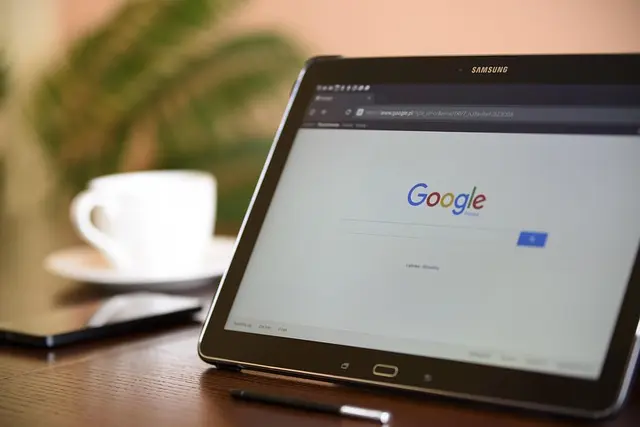
For instance, if your work involves frequent travel, a lightweight yet powerful tablet can be an ideal choice. According to users' feedback, many find that devices like the Samsung Galaxy Tab S11 series combine portability with functionality, perfect for handling everyday tasks efficiently while on the move.
Tips:
- Create a list of your daily tasks.
- Evaluate the software and applications you rely on.
- Consider your environment—will you be working outdoors or inside?
2. Choose the Right Hardware
Choosing the right devices is crucial in establishing a seamless mobile workspace. Look for multifunctional hardware that caters to various needs without compromising performance. Tablets and lightweight laptops are excellent options that offer portability without sacrificing functionality.
For example, the Samsung Galaxy Tab S11 Ultra features a high-resolution display making it suitable for presentations and video calls, and its long battery life ensures that you won't be running out of power when you need it most. This can significantly reduce the stress of working away from a traditional desk setup.
Considerations:
- Assess battery life—how long will your device last during a typical workday?
- Think about display size—smaller screens might not be suitable for graphically intensive tasks.


3. Leverage Cloud Storage Solutions
Having access to your files from anywhere is vital for any seamless mobile workspace. Cloud storage solutions like Google Drive or Dropbox allow you to store, share, and edit files without needing a physical storage device. This facilitates collaboration, as multiple users can access and work on a document simultaneously, regardless of their location.
Statistically, companies using cloud storage report a 30% increase in teamwork productivity, illustrating the significance of this tool in modern work environments. Moreover, ensure that the services you choose have robust security measures to protect sensitive data.
Actions:
- Set up a cloud storage account and organise your files.
- Familiarise yourself with file-sharing options to enhance collaboration.
4. Create an Ergonomic Setup
Ergonomics plays a critical role in ensuring your comfort while working, even in a mobile space. Invest in portable ergonomic products, such as lap desks or portable stands, that can help maintain proper posture and reduce strain on your body.
Many users suggest that utilising keyboard attachments for tablets can also enhance comfort. For example, when using the Samsung Galaxy Book6 Pro, the device's dynamic AMOLED touchscreen and keyboard accessibility create a versatile workspace allowing users to switch between modes with ease.
Ergonomic Tips:
- Use portable stands or lap desks for better posture.
- Consider investing in a portable keyboard for extended typing sessions.
5. Set Up a Distraction-Free Environment
When working remotely, distractions can significantly hinder your productivity. Establishing a distraction-free workspace—wherever that may be—is essential. This includes turning off unnecessary notifications on your devices and setting boundaries with colleagues and friends during work hours.
Popular strategies involve using noise-cancelling headphones or finding local co-working spaces designed specifically for focused work. Additionally, adopting the Pomodoro Technique, where you focus for 25 minutes followed by a 5-minute break, can also enhance your concentration.
Steps to Minimise Distractions:
- Choose a quiet location when possible.
- Mute notifications or use productivity applications to limit distractions.
6. Utilise Productivity Apps
In today’s digital landscape, productivity apps are a game changer. Tools such as Trello, Slack, and Notion provide platforms to manage tasks, communicate with team members, and organise projects seamlessly. By integrating these applications into your routine, your mobile workspace can transform into an efficient environment conducive to high levels of productivity.
Statistically, teams using productivity applications report a 25% improvement in project turnaround timelines, emphasising the value of such resources.
Recommendations for Apps:
- Explore apps that support task management or communication.
- Determine which apps integrate well with the devices you use.


7. Regularly Revise and Optimise Your Setup
Your mobile workspace needs will evolve over time, particularly with changes in technology or work habits. Therefore, regularly revisiting your setup is crucial. Seek feedback on what works and what doesn’t, and be open to adjustments. Stay informed about emerging tools and applications that could enhance your workflow.
How to Stay Current:
- Follow tech blogs and forums to discover new products.
- Periodically assess your toolkit and its effectiveness.
Glossaire
| Terme | Définition |
|---|---|
| Seamless Mobile Workspace | A flexible work environment that allows for efficient work across various mobile devices. |
| Ergonomics | The study of designing equipment and devices that fit the human body, improving comfort and efficiency. |
| Cloud Storage | A service that allows data to be stored and accessed over the Internet rather than on physical devices. |
Checklist avant achat
- [ ] Evaluated daily tasks and needs
- [ ] Chosen suitable mobile hardware
- [ ] Set up a secure cloud storage solution
- [ ] Created an ergonomic workspace
- [ ] Installed productivity apps
- [ ] Established a distraction-free environment
📺 Ressource Vidéo
> 📺 Pour aller plus loin : Comment créer un espace de travail mobile efficace, une analyse complète de l'optimisation de votre espace de travail. Recherchez sur YouTube : "creer un espace de travail mobile efficace 2026".
Conclusion
En suivant ces conseils, vous pouvez créer un seamless mobile workspace qui maximise votre productivité tout en offrant la flexibilité nécessaire pour travailler efficacement où que vous soyez. N'oubliez pas d'expérimenter avec différents outils et techniques jusqu'à ce que vous trouviez ce qui fonctionne le mieux pour vous. Adoptez ces pratiques dès aujourd'hui et transformez votre façon de travailler !
📺 Pour aller plus loin : creer un espace de travail mobile efficace 2026 sur YouTube
Recommended products
Selected by our experts


Samsung Galaxy Book6 Pro (16", Core Ultra 7, 32GB), a Copilot+ PC
Back to the Office

Samsung Galaxy Book6 Pro (14", Core Ultra 5, 16GB), a Copilot+ PC
Back to the Office


