
Contents (29 sections)
In an increasingly digital world, many individuals find themselves overwhelmed by the sheer volume of content and the clutter that comes with our mobile devices. Adopting a minimalist mobile lifestyle can be an effective way to simplify this experience, leading to improved mental clarity and more time for what truly matters. This article will outline practical tips and tricks to help you simplify your mobile life and reduce digital clutter effectively.
1. Understanding a Minimalist Mobile Lifestyle
What is a Minimalist Mobile Lifestyle?
A minimalist mobile lifestyle is about decluttering your digital landscape, ensuring that your mobile experience is as efficient and enjoyable as possible. This means discarding unnecessary applications, organising digital content effectively, and fostering habits that lead to intentional usage of technology. According to studies, individuals practicing minimalism report decreased stress levels, improved focus, and an overall sense of well-being.
Why Pursue Minimalism?
Adopting minimalism can transform your relationship with technology. Engaging with only the essentials can free up mental space and time. By minimising distractions, you're better equipped to enjoy meaningful interactions, both online and offline. Embracing this philosophy can also enhance your device’s performance, leading to faster operations and longer battery life.
2. Assessing Your Current Mobile Setup
Step 1: Evaluate Applications
Begin by reviewing your current mobile applications. Identify those that you use regularly versus those that remain untouched. A helpful method is to conduct a ‘clean-out’. Go through your apps, and if you haven’t used one in the last month, consider deleting it. This practice aligns with the minimalist principle of keeping only what adds value to your life.
Step 2: Organise Your Digital Files
Once you've streamlined your applications, turn your attention to documents and media. Create a logical folder structure resembling your physical filing cabinet. Use clear folder names to make everything easily accessible. Adopting cloud storage solutions can help maintain access across devices while reducing clutter on your device itself, promoting an efficient workflow.

ASUS Vivobook S15 OLED M5506WA-MA042W AMD Ryzen AI 9 365 Laptop 39.6 cm (15.6") 3K 32 GB LPDDR5x-SDRAM 1 TB SSD Wi-Fi 6E (802.11ax) Windows 11 Home
Back to the Office
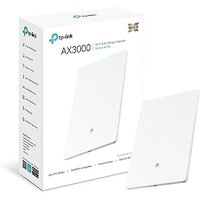
TP-Link Wi-Fi 6 AX3000 Dual-Band Wi-Fi 6 Air Range Extender, Gigabit Port, Ultra-Thin and Minimalist Design, OneMesh⢠Supported, WPA3 Security,Easy
Amazon Sellers Programme (UK)

3. Setting Boundaries for Mobile Usage
Balancing Your Screen Time
Establish clear boundaries around when and how you use your mobile device. Research indicates that excessive screen time can adversely affect mental health, leading to anxiety and depression. To combat this, consider setting specific times during the day dedicated to checking your phone, while abstaining during family meals or dedicated recreation time.
Implementing Focus Modes
Most mobile devices now come equipped with focus modes or ‘Do Not Disturb’ features. Leveraging these tools can assist you in maintaining concentration during critical work hours or quality time spent with loved ones. This intentional discipline promotes a more balanced approach to digital consumption.
4. Choosing Quality over Quantity
Invest in Essential Applications
When selecting apps, opt for those that serve multiple purposes or significantly enhance your productivity. According to surveys, users prefer fewer, high-quality applications over numerous, less effective options. Look for bundled solutions that can simplify tasks and integrate smoothly within your digital ecosystem.
Evaluate Your Hardware
Consider investing in devices or peripherals designed for minimalists. A lightweight laptop with sufficient processing power can streamline your workflow while reducing physical clutter, encouraging an efficient workspace.
5. Minimising Notifications
Reviewing Notification Settings
One of the quickest methods to reduce digital clutter is to assess your notification settings. Disable notifications for non-essential apps to decrease distractions. Recent studies show that limiting notifications leads to better focus and higher productivity levels. By choosing which alerts warrant your attention, you regain control over your time.
Tips for Managing Critical Alerts
Customising critical alerts can ensure you stay updated without being bombarded by unnecessary alerts. Implementing custom categories for notifications allows you to prioritise messages, ensuring that only the most important ones interrupt your day.
6. Creating a Digital Declutter Schedule
Regular Maintenance
Establish a routine for digital cleaning. Schedule a monthly review of your applications, files, and notifications. Regularly refreshing your digital space prevents clutter from accumulating, making it easier to maintain your minimalist approach.
Integrating Minimalist Habits
Incorporate minimalist habits into your digital lifestyle. For instance, adopt a ‘one in, one out’ policy for applications—when you add a new app, consider removing an old one. This habit reduces the chance of accumulating unnecessary digital tools.

ASUS A5702WVARK-BPE025W Intel Core 5 120U 68.6 cm (27") 1920 x 1080 pixels All-in-One PC 16 GB DDR5-SDRAM 512 GB SSD Windows 11 Home Wi-Fi 6E
Quzo UK

ASUS M3702WFAK-WA080W AMD Ryzen 5 7520U 68.6 cm (27") 1920 x 1080 pixels All-in-One PC 8 GB LPDDR5-SDRAM 512 GB SSD Windows 11 Home Wi-Fi 6E
Quzo UK

ASUS Zenbook A14 UX3407QA-QD244W Copilot+ PC Qualcomm Snapdragon X1-26-100 Laptop 35.6 cm (14") WUXGA 16 GB LPDDR5x-SDRAM 1 TB SSD Wi-Fi 6E
Back to the Office
7. Practice Mindful Consumption
Choosing Relevant Content
Adopt a critical approach to the content you consume. Follow creators, news sources, and channels that resonate with your values. By curating your content consumption, you can ensure that your mobile experience remains enriching rather than overwhelming.
Engaging with Digital Communities
Participate in digital communities that embody minimalism or simplified living. Engaging with like-minded individuals can provide support, motivation, and accountability in your journey towards a minimalist mobile lifestyle.
8. Rethinking Social Media
Evaluating Social Media Use
If social media consumes a significant portion of your phone usage, consider evaluating your accounts. Deactivate those that add little value to your life. Studies reveal that limiting social media interactions can lead to improved mental health and satisfaction.
Focus on Authentic Connections
Prioritise quality interactions over quantity in your social media circles. Engage with those who foster authentic connections, thereby enriching your overall experience and helping you feel more connected.
📺 Resource Video
> 📺 For further insights: Navigating a Minimalist Mobile Lifestyle, a comprehensive analysis on how to embrace minimalism effectively. Search on YouTube: "minimalist mobile lifestyle 2026".
🔍 Checklist before adopting:
- [ ] Evaluate current applications and files
- [ ] Establish screen time boundaries
- [ ] Invest in quality essential applications
- [ ] Minimise notifications
- [ ] Schedule regular digital clean-ups
- [ ] Prioritise mindful content consumption
- [ ] Assess social media interactions
Glossary
| Terme | Définition |
|---|---|
| Minimalisme | Un style de vie qui privilégie la simplicité et l'essentiel, visant à réduire le superflu. |
| Digitalisation | Processus d'intégration des technologies numériques dans tous les aspects de la vie quotidienne. |
| Notifications push | Alertes envoyées par des applications pour attirer l'attention de l'utilisateur sur certaines actions. |
---
📺 Pour aller plus loin : minimalist mobile lifestyle 2026 sur YouTube
Recommended products
Selected by our experts

ASUS M3702WFAK-WA080W AMD Ryzen™ 5 7520U 68.6 cm (27") 1920 x 1080 pixels All-in-One PC 8 GB LPDDR5-SDRAM 512 GB SSD Windows 11 Home Wi-Fi 6E
Back to the Office


CHERRY KW 9200 MINI keyboard Universal USB + RF Wireless + Bluetooth QWERTY Spanish Black
Back to the Office

Logitech MX Keys Mini Minimalist Wireless Illuminated Keyboard
Back to the Office

Logitech MX Keys Mini Minimalist Wireless Illuminated Keyboard
Back to the Office

