Contents (19 sections)
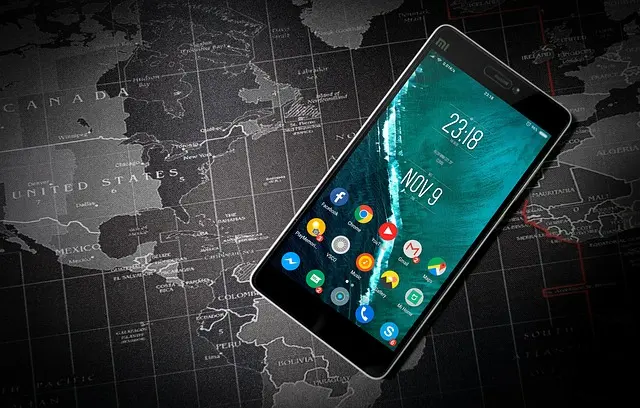
In our increasingly digitised world, mobile security is paramount. As smartphones have become integral to our daily lives for communication, banking, and personal organisation, the need to secure these devices cannot be overstated. In this article, we will explore ten essential tips that can help you protect your mobile devices and personal information effectively.
Table of Contents
- Understand the Importance of Mobile Security
- Use Strong Passwords
- Enable Two-Factor Authentication
- Keep Your Operating System Updated
- Use a Virtual Private Network (VPN)
- Be Cautious with Public Wi-Fi
- Download Apps Wisely
- Backup Your Data Regularly
- Install Security Apps
- Stay Informed About Mobile Security Threats
1. Understand the Importance of Mobile Security
Mobile security refers to safeguarding personal and sensitive information stored on mobile devices such as smartphones and tablets. With the rise in usage of mobile applications and services, the risk of data breaches and cyberattacks has significantly increased. According to a report by Check Point Software Technologies, mobile malware has surged by 50% in the last few years, prompting the need for robust security measures. Proper security practices not only protect your personal information but also ensure the integrity of the shared data.


StarTech.com 4-Port Thunderbolt 5 Hub with Thunderbolt Share KVM, 80/120Gbps, 8K Multi-Display, 140W PD, USB-A 10Gbps, TB4 & USB4, MacBook M4 Pro M4
Back to the Office
2. Use Strong Passwords
One of the simplest yet most effective ways to enhance mobile security is by employing strong passwords. A strong password should be at least 12 characters long and include a mix of uppercase letters, lowercase letters, numbers, and symbols. Avoid using easily guessable information such as birthdays or names. Moreover, it is advisable to use a different password for each account. Consider using a password manager to store and generate complex passwords securely.
3. Enable Two-Factor Authentication
Two-factor authentication (2FA) adds an extra layer of security beyond just a password. It typically requires you to verify your identity using a second method, such as a code sent to your phone or generated by an authenticator app. According to Cybersecurity and Infrastructure Security Agency, enabling 2FA can block up to 99.9% of automated cyberattacks. Thus, whenever possible, enable this feature on your social media, banking, and other crucial accounts.
4. Keep Your Operating System Updated
Software updates are often released to fix vulnerabilities that could be exploited by hackers. Keeping your operating system and apps updated is crucial for mobile security; updates not only fix bugs but also patch potential security holes. Enable automatic updates to ensure you receive these critical patches as soon as they’re available.
5. Use a Virtual Private Network (VPN)
A VPN encrypts your internet connection, making it more challenging for attackers to intercept data. This is particularly beneficial when using public Wi-Fi networks, which are notoriously unsecure. Many reputable VPN providers also don’t log your online activity, providing an additional layer of privacy. Research to find a VPN that balances speed and security.


6. Be Cautious with Public Wi-Fi
While public Wi-Fi is convenient, it poses significant risks. Attackers can easily access unsecured networks to steal personal information. Avoid accessing sensitive accounts on public networks and consider using a VPN if you must connect. Always check the legitimacy of the network before inputting any personal information, as phishing attacks often use fake public networks.
7. Download Apps Wisely
Before downloading apps, ensure they come from reputable developers and check user reviews. Avoid downloading apps that require excessive permissions or seem unnecessary for their function. According to Norton, over 50% of malware is spread through mobile apps. Stick to official app stores, which generally offer more secure applications.
8. Backup Your Data Regularly
Regular data backups are a critical part of mobile security. In the event that your device is lost, stolen, or compromised, having a backup of your important data ensures you won’t lose everything. Use cloud services or external storage solutions to perform regular backups of crucial files such as photos, documents, and contacts.
9. Install Security Apps
Security apps can provide additional protection against malware and suspicious applications. Many apps offer features like malware scanning, anti-theft tools, and secure browsing options. We have selected several products adapted to enhance your mobile security; check out our recommendations below.
10. Stay Informed About Mobile Security Threats
The landscape of mobile security is constantly evolving. Staying informed about the latest threats, vulnerabilities, and best practices is essential. Follow reputable cybersecurity blogs and news sources to keep abreast of trends and advisories regarding mobile security. Subscribing to alerts from CISA can also keep you updated on emerging threats.
📺 For further insights:
> Mobile security threats explained, a detailed analysis of how to safeguard your devices. Search YouTube for: "mobile security tips 2026".
Glossary
| Terme | Définition |
|---|---|
| Malware | Logiciel malveillant conçu pour nuire à des systèmes informatiques ou dérober des données. |
| Phishing | Technique utilisée pour inciter les utilisateurs à divulguer des informations personnelles. |
| Encryption | Processus de conversion de données en un code pour protéger leur contenu. |
Checklist avant achat
- [ ] Vérifiez que l'application est téléchargée depuis une source fiable.
- [ ] Activez l'authentification à deux facteurs sur vos comptes.
- [ ] Calculez la force de votre mot de passe.
- [ ] Effectuez des sauvegardes régulières de vos données.
- [ ] Protégez votre connexion avec un VPN lors de l'utilisation de réseaux publics.
🧠 Quiz rapide : Quel est l'élément le plus important en matière de sécurité mobile ?
- A) Utiliser un mot de passe fort.
- B) Ignorer les mises à jour.
- C) Oublier l'utilisation d'un VPN.
Réponse : A — Un mot de passe fort est le fondement d'une bonne sécurité mobile.
Staying vigilant and adopting these practical tips can significantly enhance your mobile security. Take the necessary steps to protect your devices and data today!
Products Recommended
1. Online Security Training Course
Recommended for anyone looking to enhance their knowledge on mobile and online security.
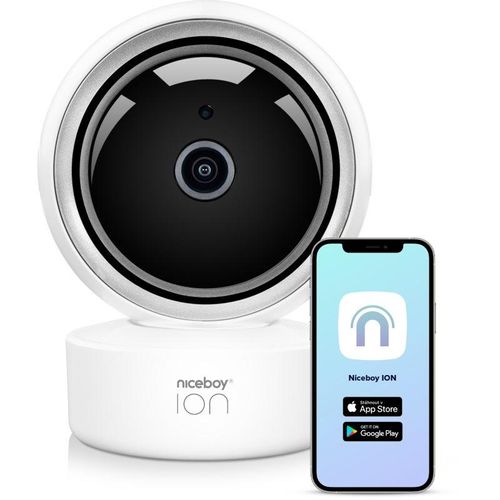
2. Niceboy ION Home Security Camera
A valuable product for monitoring your home while you are on the go.
3. Samsung Galaxy S25 FE
A robust device that combines performance with security features, making it an excellent option for secure mobile usage.
Recommended products
Selected by our experts



