Contents (14 sections)
In today's fast-paced mobile lifestyle, ensuring the security of your devices and personal information is more critical than ever. With increasing cyber threats, mastering mobile security is essential to keep your data safe. In this article, we will explore ten essential mobile security tips that will help you navigate the digital world protectively and with confidence.
1. Use Strong Passwords and Biometrics
A strong password is your first line of defence against unauthorized access. Create complex passwords using a mix of letters, numbers, and symbols to make it harder for potential attackers. Additionally, consider enabling biometric authentication, such as fingerprint or facial recognition. According to a survey by LastPass, approximately 81% of data breaches are due to weak passwords. Using biometrics adds an extra layer of security, making it more challenging for hackers to gain access to your device.
2. Keep Your Operating System Updated
Regularly updating your mobile operating system is vital in maintaining security. Software updates often include important security patches that protect your device from vulnerabilities. As reported by Cybersecurity & Infrastructure Security Agency (CISA), devices that are not updated with the latest software can be more susceptible to attacks. Set your device to automatically update whenever possible to ensure you have the latest features and security improvements.

Samsung Galaxy A34 5G Enterprise Edition 16.8 cm (6.6") Dual SIM USB Type-C 6 GB 128 GB 5000 mAh Graphite
Back to the Office

ZOSI 8CH CCTV Camera System with AI Human Vehicle Detection, 5MP Lite DVR and 8x 1080p 1920TVL Security Cameras Outdoor Indoor, Email Alert, Smart Pla
Amazon Sellers Programme (UK)
3. Download Apps from Trusted Sources
When downloading mobile applications, always use official app stores such as the Google Play Store or the Apple App Store. These platforms offer a level of vetting for the applications, helping to mitigate the risk of malware. Additionally, read reviews and check the developer's credibility to ensure you are downloading a safe app. Remember, sideloading apps or downloading from third-party sites can significantly increase your risk of encountering malicious software.
4. Enable Two-Factor Authentication (2FA)
Two-Factor Authentication adds an additional layer of security, requiring users to provide two forms of identification before accessing an account. This could be something you know (your password) and something you have (a code sent to your phone). According to Google, 2FA can block up to 100% of automated attacks on your accounts. Make it a habit to enable 2FA wherever possible, especially on sensitive accounts such as email and banking apps.
5. Monitor Your App Permissions
Before installing and frequently after updating apps, review their permissions. Many applications request more access than necessary. For example, a simple game may not require access to your contacts or location. Data privacy organizations emphasize the importance of limiting app permissions to only what is necessary for the app to function. Regular checks can prevent apps from gathering excessive data without your awareness.
6. Use a VPN for Public Wi-Fi
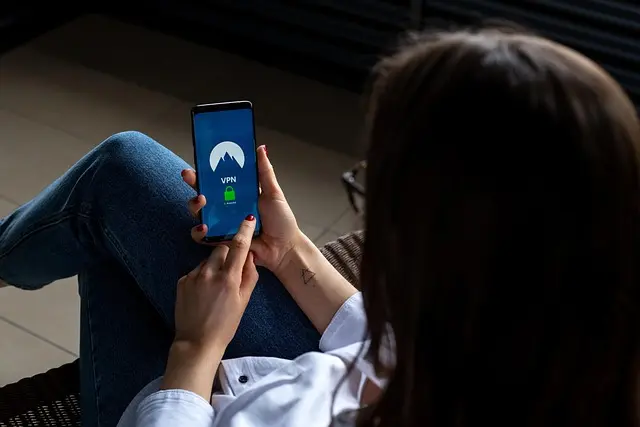
Connecting to public Wi-Fi networks can expose your personal information to potential hacking. To secure your data, consider using a Virtual Private Network (VPN). A VPN encrypts your internet connection, making it difficult for cybercriminals to intercept your data. In fact, NordVPN states that using a VPN can protect your information even on unsecured networks. Be sure to choose a reputable VPN service for the best protection.

Samsung Galaxy A05s 17 cm (6.7") Dual SIM Android 13 4G USB Type-C 4 GB 64 GB 5000 mAh Black
Back to the Office

ZOSI CCTV Home Security Camera System, 8CH H.265+ 5MP DVR Recorder with 2pcs 1080p Outdoor Surveillance Camera, Human Vehicle Detection, Email Alert,
Amazon Sellers Programme (UK)

WOOX Wifi Indoor Camera, 2K Pet Dog Cameras with App, 360? Home Security Camera
onbuy.com
7. Enable Device Encryption
Device encryption is an essential feature for safeguarding your data in the event your device is lost or stolen. By enabling encryption, your data is secure and can only be accessed through the correct authentication method. According to Kaspersky, 80% of stolen devices are never recovered, making encryption critical for protecting sensitive information stored on your device.
8. Back Up Your Data Regularly
Backing up your data regularly can save you from losing important information in case of device theft, loss, or a malware attack. Use cloud services or external storage devices to create copies of your data. A study by McAfee indicated that more than 70% of individuals do not frequently back up their mobile devices, which can lead to irreversible data loss. Make it a habit to backup your devices weekly.
9. Be Wary of Phishing Attacks
Phishing attacks are common tactics used by cybercriminals to obtain personal information. Always double-check the source of emails or messages requesting sensitive information. Look for signs of phishing, such as suspicious sender addresses or grammatical errors in the message. Symantec advises users to be cautious of any unsolicited requests for personal details or financial information.
10. Educate Yourself on Mobile Security Trends
Staying informed about the latest mobile security trends is crucial to protecting yourself continuously. Follow reputable sources such as security blogs, online courses, or forums to learn more about emerging threats and protective measures. Investing time in education can significantly boost your mobile security knowledge and preparedness.
📺 For further insight:
Consider watching informative videos regarding mobile security. A quick search on YouTube with the phrase "mobile security tips 2026" can yield valuable resources to strengthen your understanding.
Checklist for Mobile Security
- [ ] Use strong passwords and enable biometrics.
- [ ] Keep your device updated with the latest software.
- [ ] Download apps only from trusted sources.
- [ ] Enable Two-Factor Authentication on critical accounts.
- [ ] Review app permissions regularly.
- [ ] Use a VPN when using public Wi-Fi.
- [ ] Enable device encryption.
- [ ] Back up your data regularly.
- [ ] Stay alert for phishing attempts.
- [ ] Continue educating yourself on new security measures.
Glossary
| Terme | Définition |
|---|---|
| Biometric Authentication | A security process that uses unique biological traits for identity verification. |
| VPN (Virtual Private Network) | A service that encrypts your internet connection, making it secure. |
| Phishing | A tactic used to trick individuals into revealing personal information via fake emails or messages. |
---
📺 Pour aller plus loin : mobile security tips 2026 sur YouTube
Recommended products
Selected by our experts

Personal Safety for Lone Workers Introduction CPD Certified Online Course
Learning 24/7

Nedis Paper Shredder, Cross Cut, DIN P-4 Security, 12L Capacity, Keep Your Desk Organised and Securely Dispose of Letters, Files, Invoices and Bank
Boxed2me

Tapo C211 2K 3MP Pan/Tilt Indoor Camera House Security Camera, WiFi Camera, No M
onbuy.com


Tapo C210 2K 3MP Pan/Tilt Indoor Camera House Security Camera, WiFi Camera, No M
onbuy.com


